Vehicle Information Management
I. Introduction
FMS Vehicle Information Management allows companies to centrally manage all vehicle records, legal information, and operating status throughout the vehicle's lifecycle. It is the standard data source providing vehicle capacity and status information to TMS systems for transportation dispatch.
The feature supports managing in-house vehicle and vendor vehicle records with declaration templates suited to each vehicle type, enables automatic data extraction from certain documents via OCR to reduce manual data entry, and supports both manual declaration and bulk import via a template file. The system stores digital copies of all vehicle documents for lookup and legal retention requirements, and supports quick record search by license plate.
In addition, the system tracks the validity period of documents, automatically alerts when they are about to expire or have expired, and updates the vehicle's operational eligibility status. Vehicle status is synchronized with the TMS systems using the vehicle to ensure that only vehicles fully meeting legal and operating requirements are assigned to transportation trips.
II. Update Vehicle Documents and Information
| Step | Action |
|---|---|
| 1 | Go to 'Vehicle Management' and select the 'Vehicle List' page |
| 2 | Click the 'Add Vehicle' button to open the 'Add Vehicle' screen |
| 3 | Click the image upload box to open the document information update popup |
| 4 | Continue clicking the image upload box to upload front/back images of each document type: Vehicle Registration, Vehicle Inspection, Civil Liability Insurance, Physical Damage Insurance, Vehicle Badge, Mortgage Receipt, Road Toll |
| 5 | Click the 'Extract Data from Image' button for the system to auto-fill the information |
| 6 | Click the 'Update' button to save/update one document type |
| 7 | Click 'Cancel' to cancel the action and close the popup |
| 8 | After completing all document types, click the 'Save Information' button to finish saving/updating all documents of a vehicle |
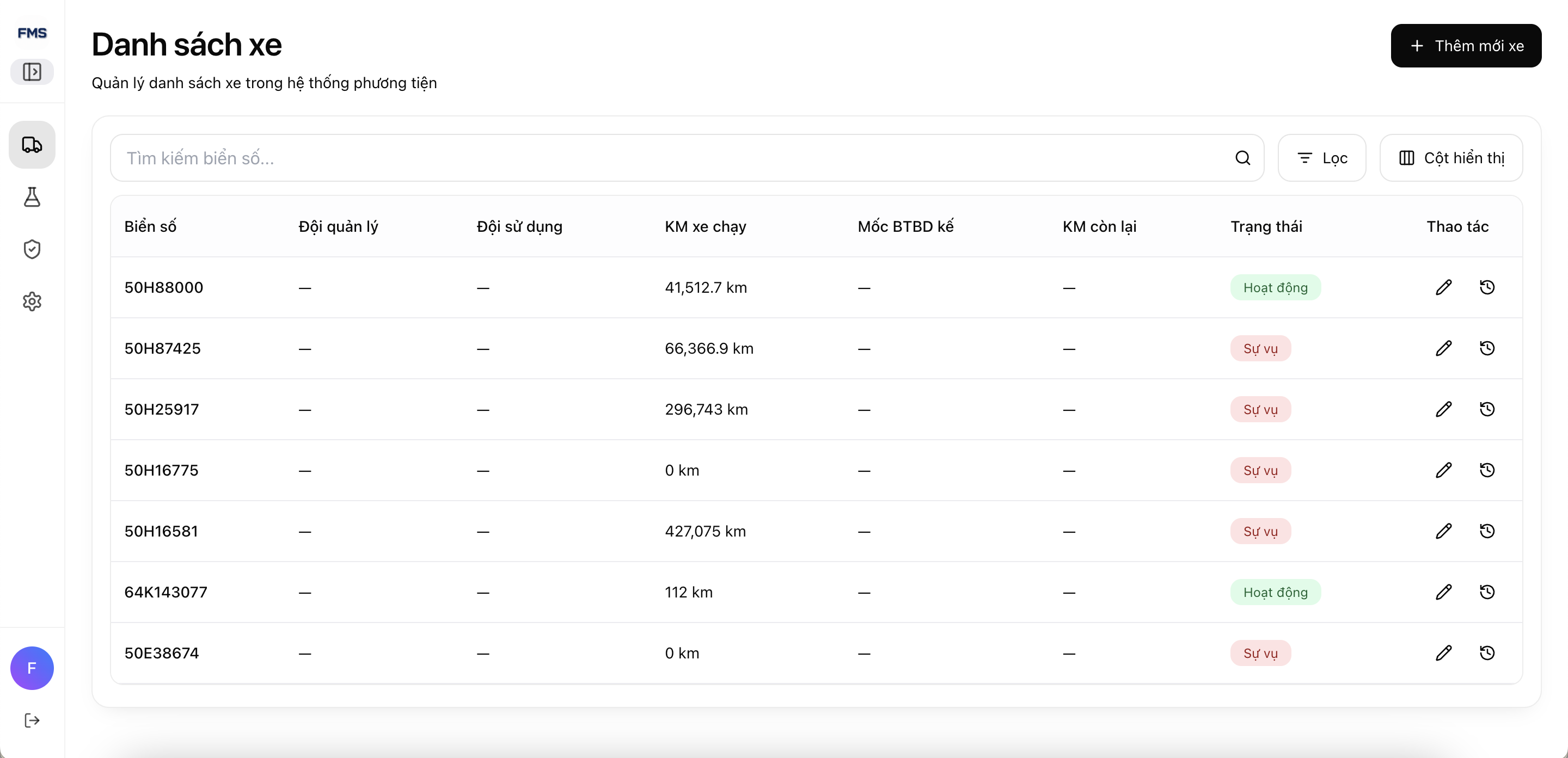
Vehicle list management screen
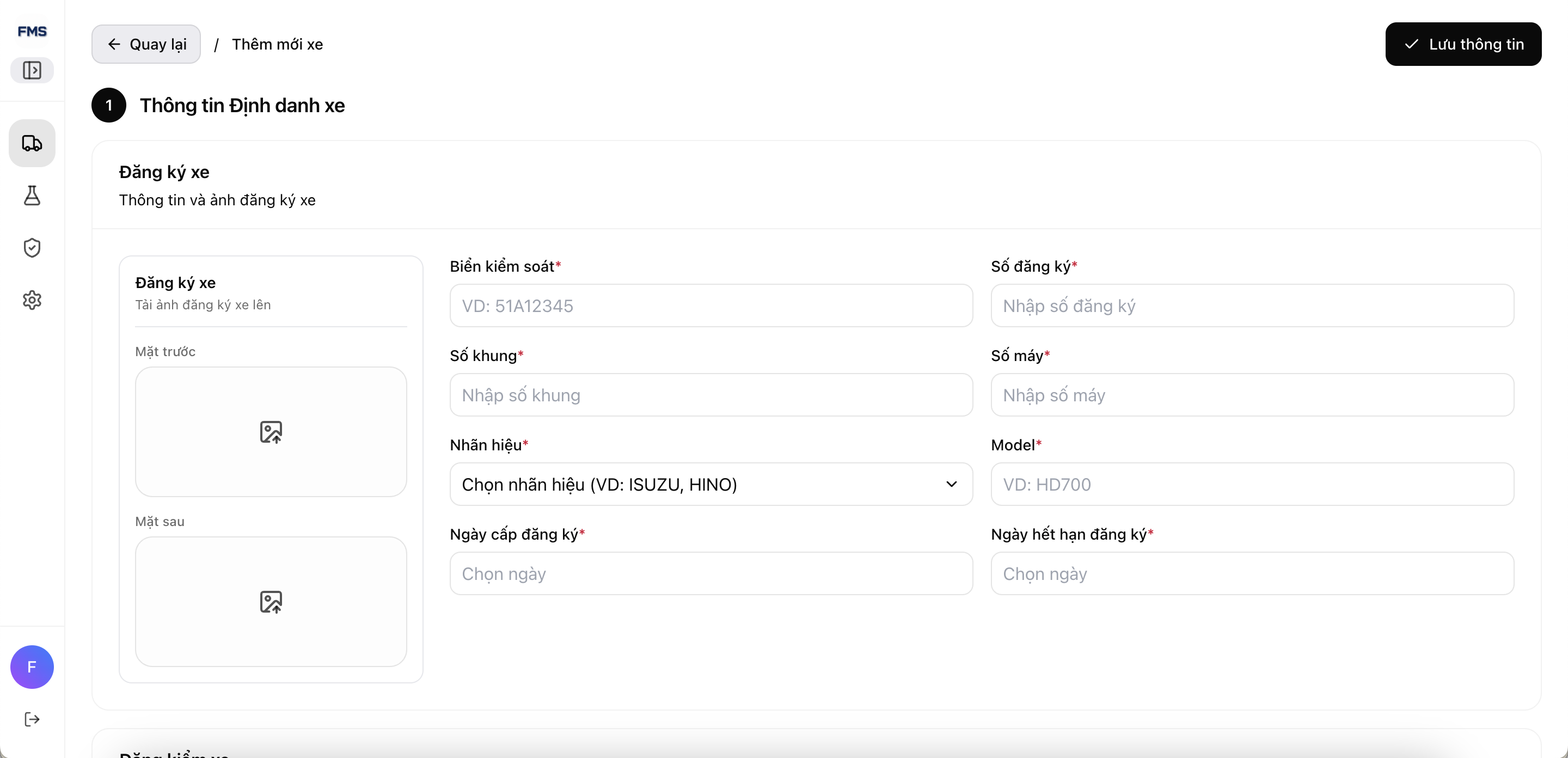
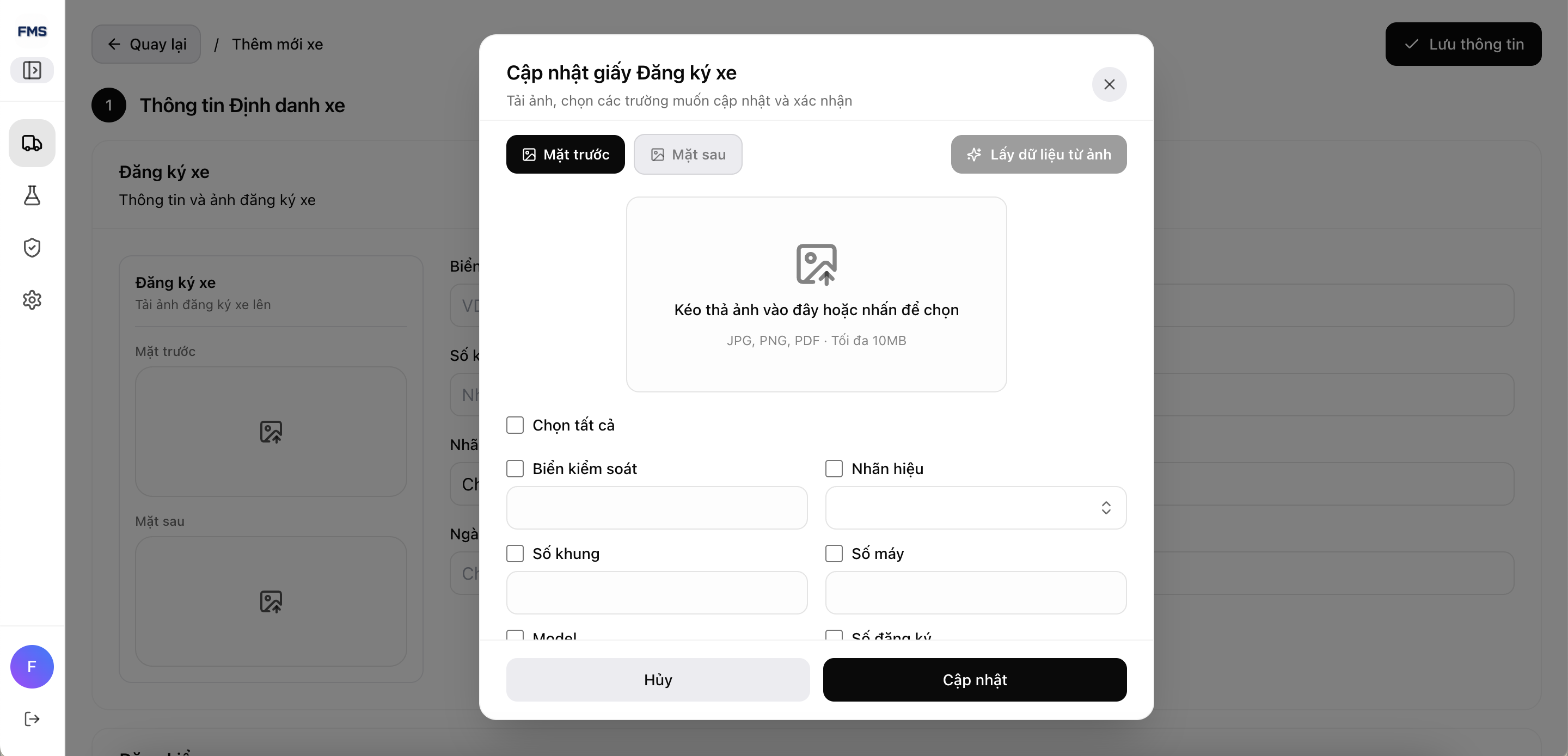
Popup for uploading images and OCR reading of each document type
| Document Type | Document Content |
|---|---|
| Vehicle Registration | License Plate, Registration Number, Chassis Number, Engine Number, Brand, Model, Registration Issue Date, Registration Expiry Date |
| Vehicle Inspection | Inspection Number, Inspection Certificate Number, Inspection Issue Date, Inspection Expiry Date, Vehicle Management Number, Vehicle Type, Year of Manufacture, Service Life Limit, Wheel Formula, Permitted Passenger Capacity, Overall Dimensions, Cargo Box Inner Dimensions, Number of Front Tires, Front Tire Size, Number of Rear Tires, Rear Tire Size, Curb Weight, Payload, Gross Vehicle Weight, Permitted Towing Weight, Fuel Type, Engine Displacement, Maximum Power, Wheelbase |
| Civil Liability Insurance | Insurance Number, Insurance Expiry Date, Issue Date, Insurance Company Name |
| Physical Damage Insurance | Insurance Number, Insurance Expiry Date, Issue Date, Insurance Company Name |
| Vehicle Badge | Badge Number, Badge Expiry Date |
| Mortgage Receipt | Receipt Number, Mortgagee Name, Effective Date, Validity Period |
| Road Toll | Road Toll Expiry Date |