ODO Declaration and Tracking
I. Overview
The ODO Declaration and Tracking feature helps companies accurately manage the operating kilometers of each vehicle, creating a reliable data source for maintenance, utilization performance evaluation, and vehicle lifecycle management. The system records ODO readings at each point in time, tracks the history of mileage changes, and calculates the total operating distance of each vehicle, serving as the basis for determining periodic maintenance schedules and assessing vehicle usage.
To reduce manual data entry and minimize errors, drivers can take a photo of the odometer directly in the mobile app. The system uses OCR (Optical Character Recognition) technology to automatically recognize and extract the mileage reading from the image, then auto-fills the declaration form. Users can still review and edit the recognition result if the image is unclear or the OCR result is inaccurate, ensuring flexibility and data reliability.
II. ODO Declaration
| Step | Action |
|---|---|
| 1 | Select the order for the trip in the OnWheel driver app |
| 2 | On the order details screen, tap the 'Enter Trip Information' button |
| 3 | On the camera screen, align the odometer within the green frame and tap capture. Note: the photo must be clear, sharp, and well-lit |
| 4 | On the photo confirmation screen, if the photo is not sharp, tap 'Retake' to return to the camera screen; if the photo is sharp, tap 'Continue' |
| 5 | On the odometer OCR result screen, if the result is correct, tap 'Confirm' to complete the declaration, or tap 'Retake' to return to the camera screen |
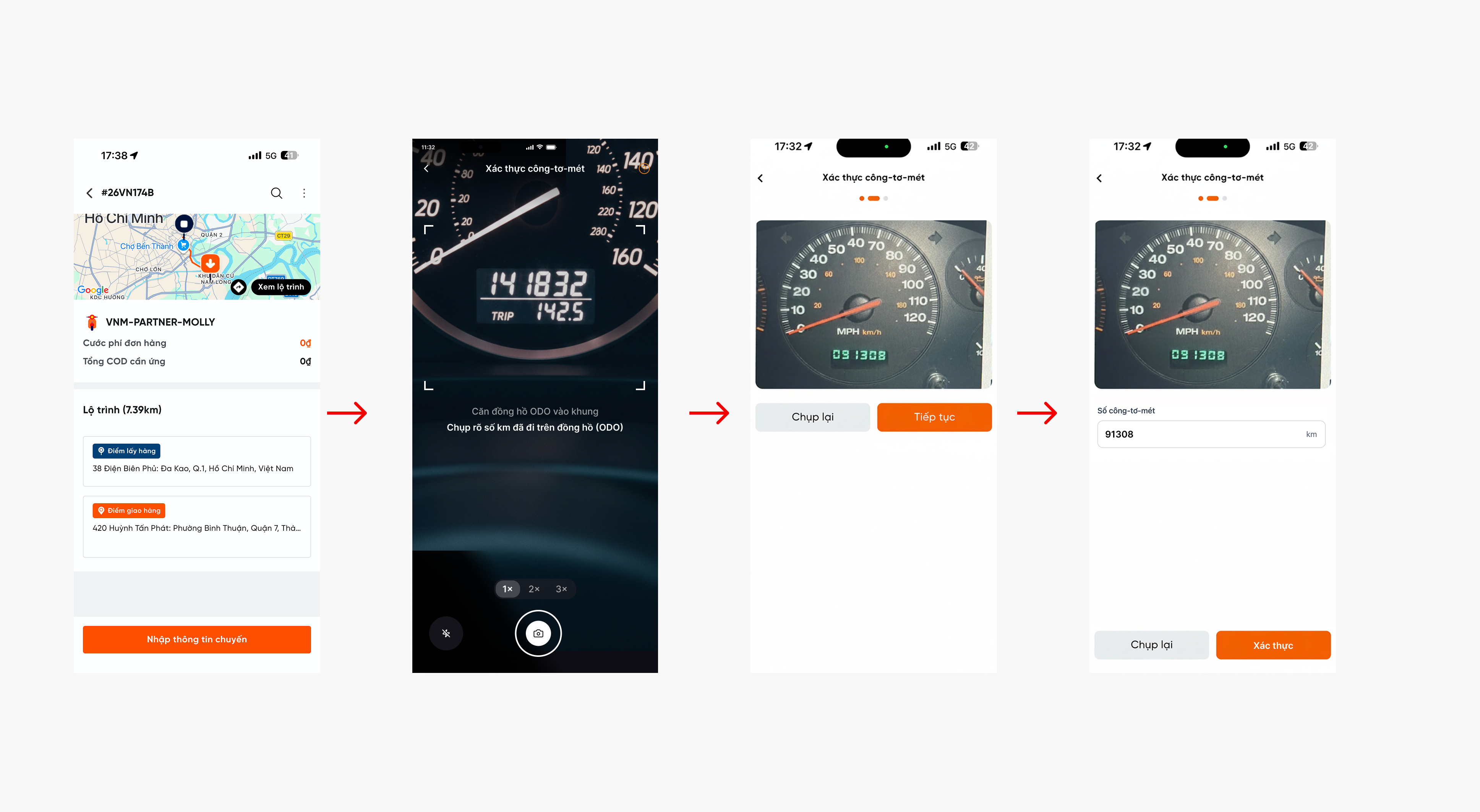
ODO declaration in the OnWheel driver app