Business Portal
Business Portal is the website for business customers to create orders, track orders, and manage money and their team with Ahamove, all in one place.
What do you want to do?
Type the task you need to do. Typing Vietnamese without diacritics also works.
- Create a delivery order
Lên đơn › Đơn thường - Deliver to several points in one trip
Lên đơn › + Thêm điểm giao - Collect cash on delivery (COD)
Lên đơn › Thông tin người nhận › Thu hộ (COD) - Schedule a pickup time
Lên đơn › Lấy ngay - Change payment method (MOMO, company account, cash…)
Lên đơn › nút thanh toán - Declare goods value to be compensated for damage
Lên đơn › Khai giá hàng hoá
Menu map
The left menu is split into 3 groups, 12 tabs. Click a tab to see its guide.
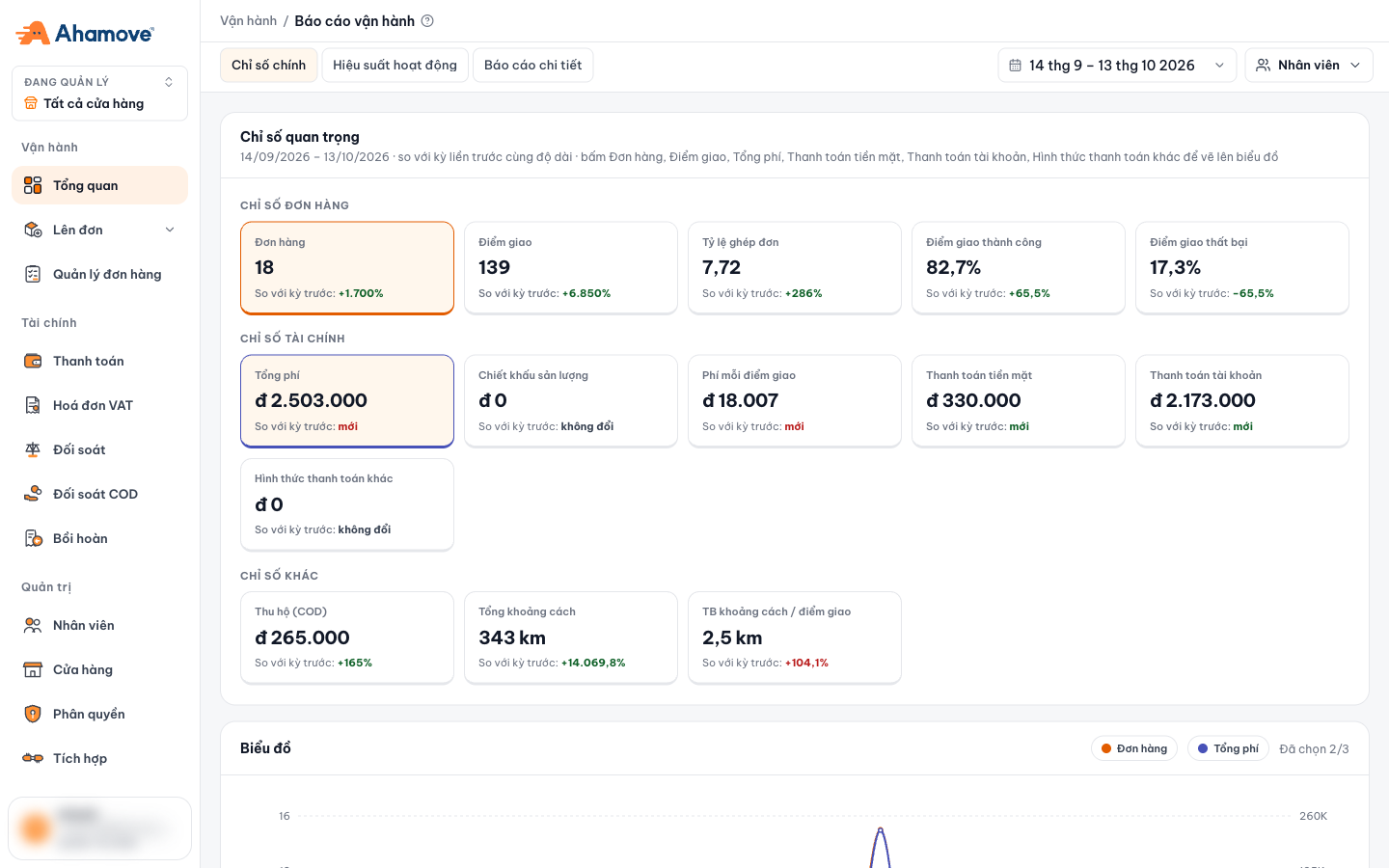
- Đang quản lý (Managing): view data for the whole company or a single store
- Vận hành (Operations) group: Tổng quan, Lên đơn, Quản lý đơn hàng
- Tài chính (Finance) group: Thanh toán, Hoá đơn VAT, Đối soát, Đối soát COD, Bồi hoàn
- Quản trị (Administration) group: Nhân viên, Cửa hàng, Phân quyền, Tích hợp
- Signed-in account and its role
Each person only sees the tabs that their role is allowed to view. See Roles & permissions.
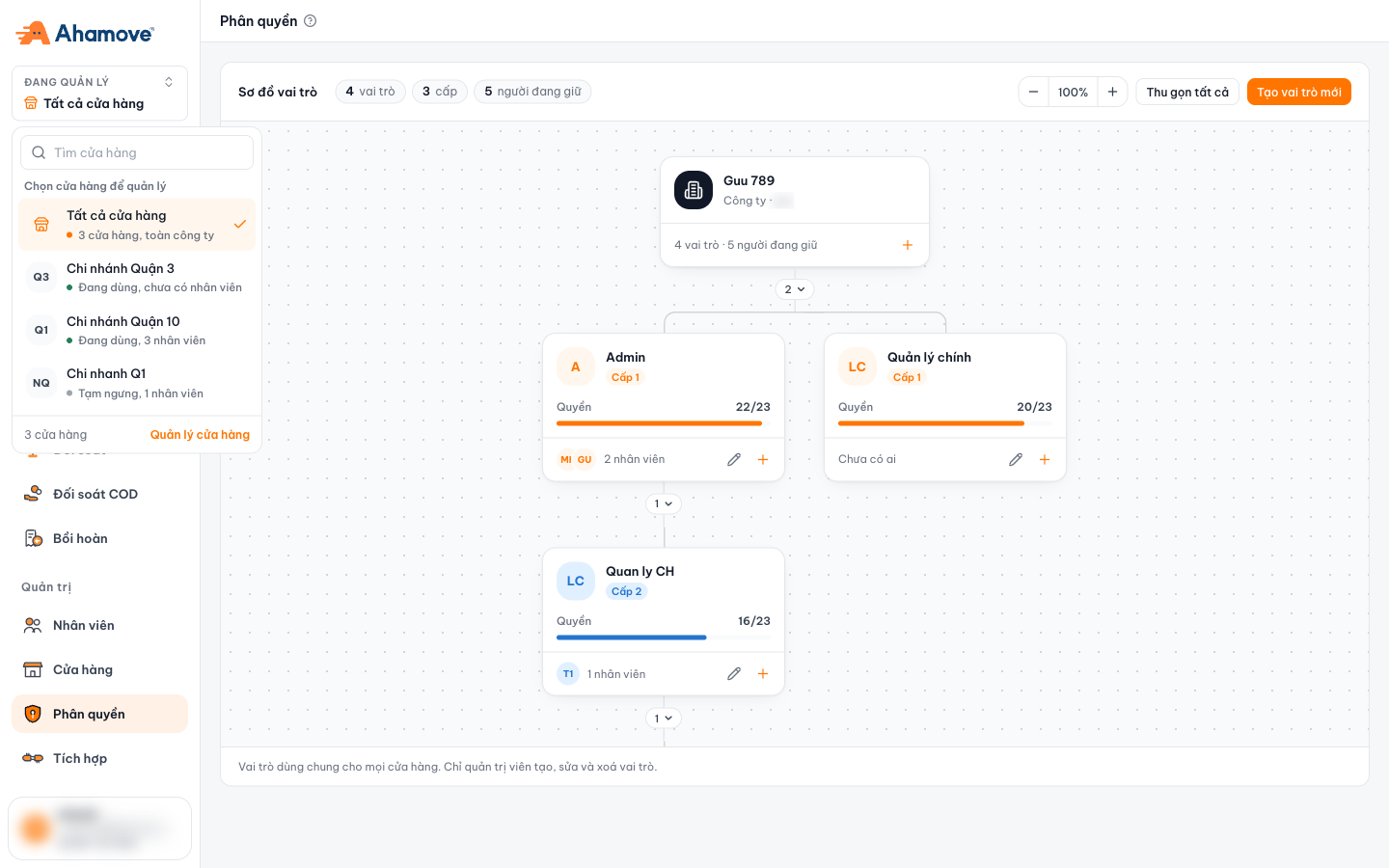
Managing: the whole company or one store
The Đang quản lý (Managing) box at the top of the menu decides whether you are viewing data for the whole company or for one store (branch). The store list shows each store's status (active / paused) and number of staff.
Sign in
Open the sign-in page, enter the phone number of your Ahamove account, then click Tiếp tục (Continue).
The code is sent to your phone number. You have 5 attempts; if the code expires, click Gửi lại mã (Resend code).
Forgot your password? Click Quên mật khẩu? (Forgot password?) right below the Đăng nhập (Sign in) button.
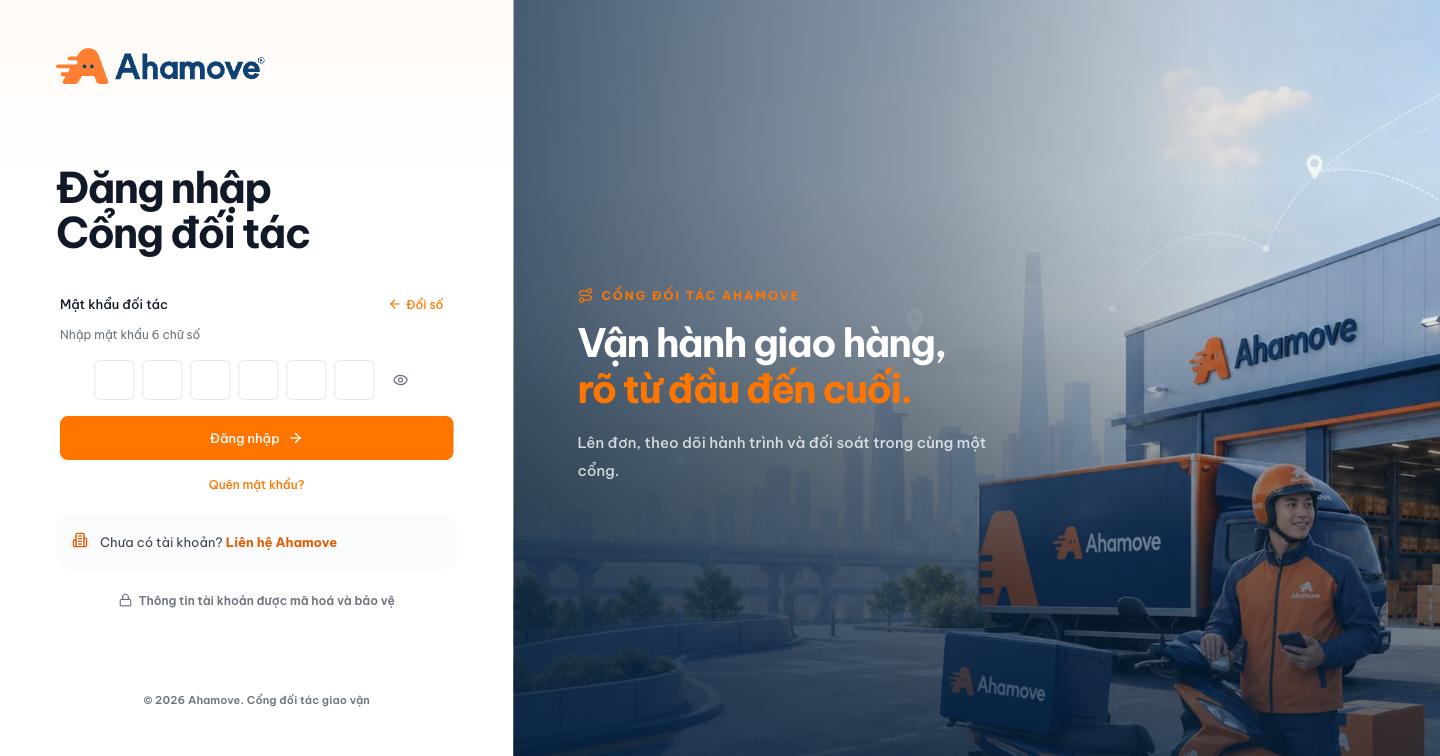
- No account yet? Click Liên hệ Ahamove (Contact Ahamove) on the sign-in page.
- Ahamove grants access to the business's admin account. That person goes to Staff to add other people.
Environments
| Environment | Used for | URL |
|---|---|---|
| Staging (testing) | Getting familiar, trying things out, API integration. No charges | business-stg.ahamove.com |
| Production (live) | Day-to-day operations | business.ahamove.com |