Roles & permissions
A role decides which tabs a staff member can see and what they can do. Roles are shared across all stores. Only administrators can create, edit and delete roles.
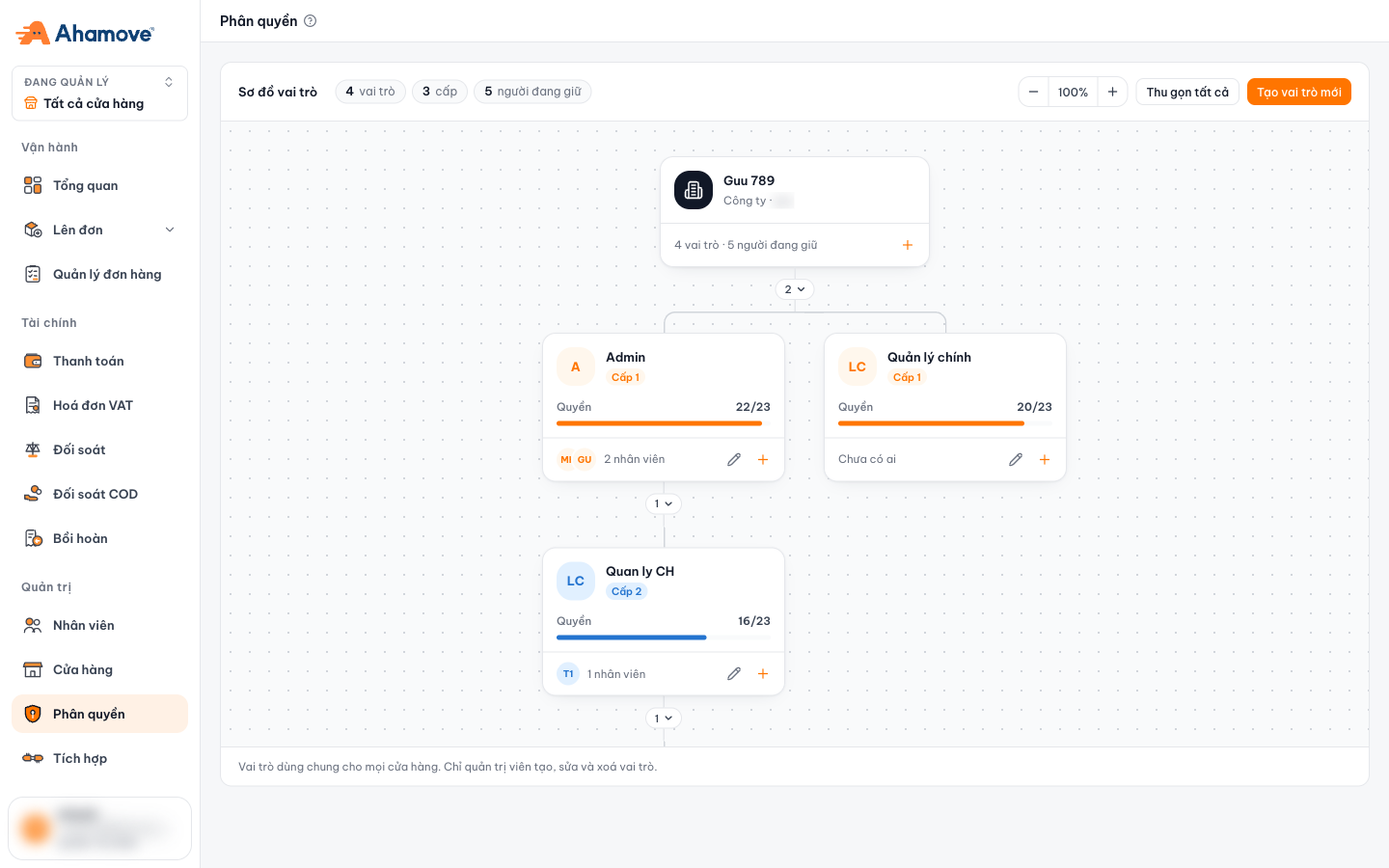
- Create a new role
- A role: level, permissions out of 23, number of people holding it
- Edit the role
- Lower-level role (under its parent role)
Role hierarchy
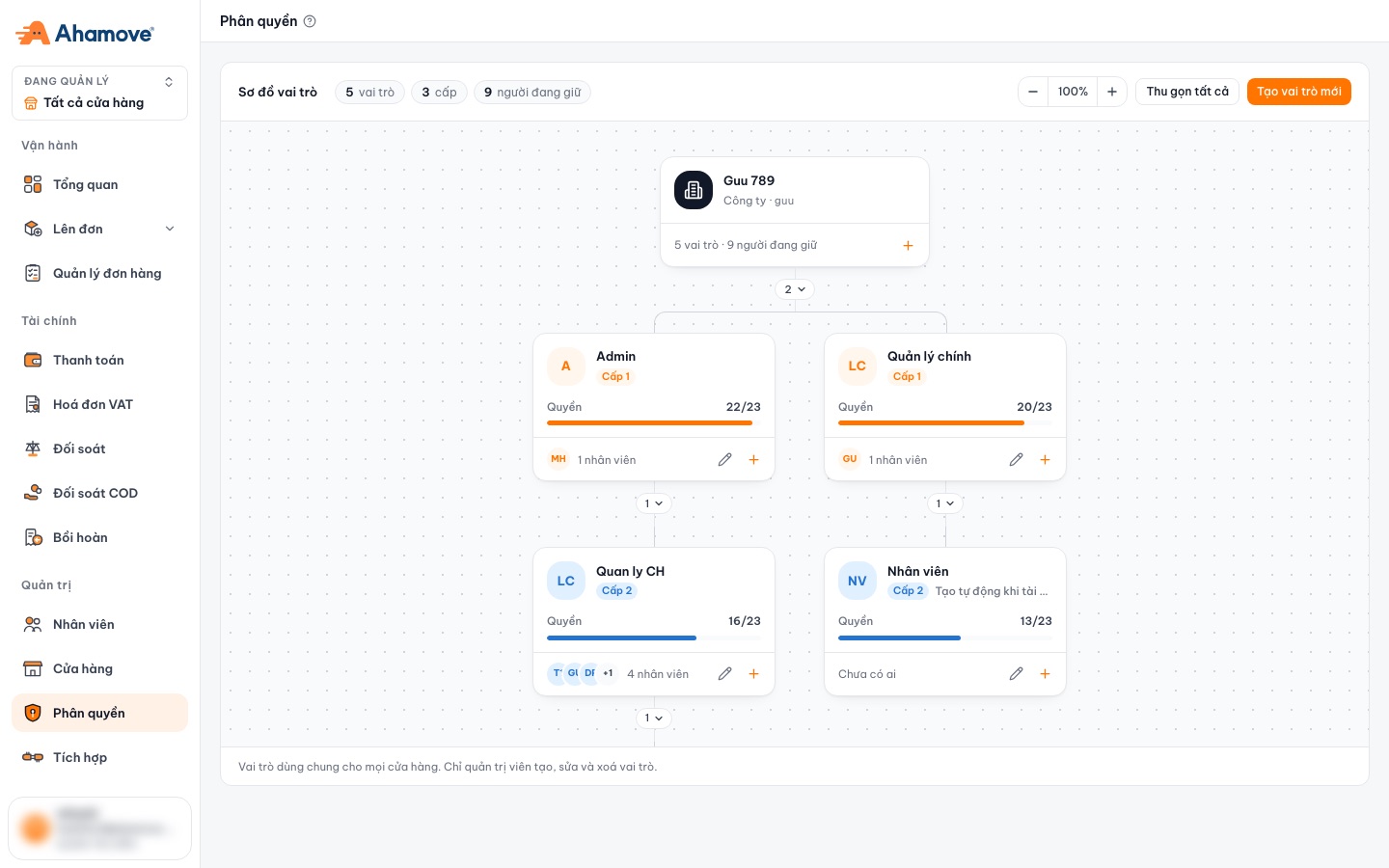
Roles are arranged by level: level 1 roles sit directly under the company, level 2 roles sit under a level 1 role, and so on.
- The parent role and all levels above it can assign and edit the roles below.
- Each role card shows how many permissions / 23 it has and how many people hold it.
Create or edit a role
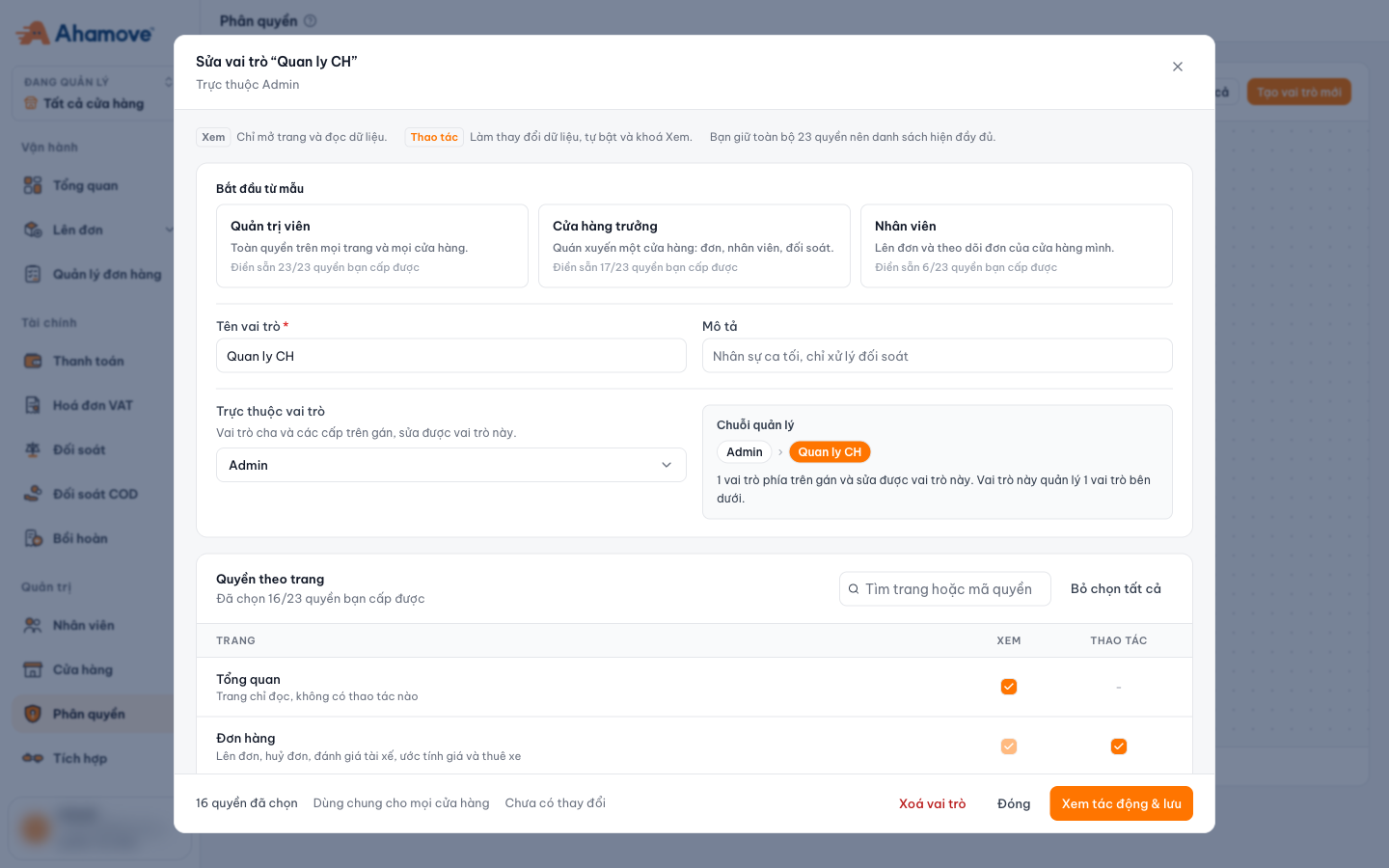
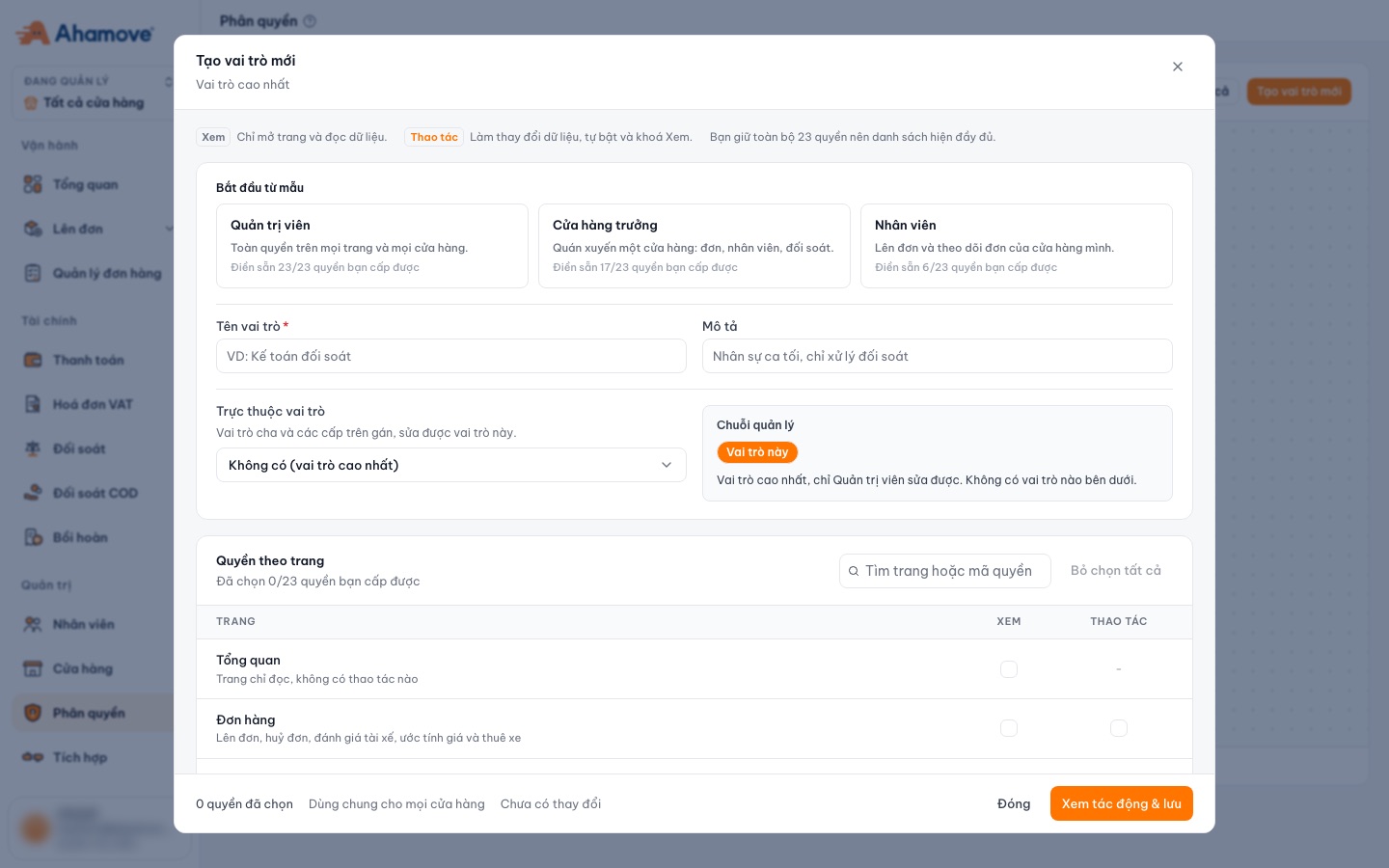
- Start from a template: fills in a permission set
- Role name (required) and description
- Which role it reports to
- Management chain: who is above, who is below
- Search for a page or permission code
- View and Manage columns for each page
- Review the impact before saving
See the template table below.
You can only grant permissions you have yourself.
Interactive walkthrough: follow each step right on the screenshots below. Click the flashing box to go to the next step.
| Template | For | Permissions |
|---|---|---|
| Quản trị viên (Administrator) | Full access to every page and every store | 23/23 |
| Cửa hàng trưởng (Store manager) | Runs one store: orders, staff, reconciliation | 17/23 |
| Nhân viên (Staff) | Creates orders and tracks orders of their own store | 6/23 |
What are the 23 permissions?
Every page has a Xem (View) permission (open the page and read its data only). Pages with actions also have a Thao tác (Manage) permission (change data); turning on Manage automatically turns on and locks View.
| Page | View (Xem) | Manage (Thao tác) — turning on Manage also turns on View |
|---|---|---|
| Tổng quan (Overview) | Yes | Read-only page, no actions |
| Đơn hàng (Orders) | Yes | Create and cancel orders, rate drivers, estimate prices and rent vehicles |
| Đơn hàng kho (Warehouse orders) | Yes | Read-only page, no actions |
| Thanh toán (Payments) | Yes | Top up the company account |
| Hoá đơn VAT (VAT invoices) | Yes | Read-only page, no actions |
| Đối soát (Reconciliation) | Yes | Read-only page, no actions |
| Đối soát COD (COD reconciliation) | Yes | Read-only page, no actions |
| Bồi hoàn (Reimbursements) | Yes | Approve or reject reimbursements charged to the company |
| Nhân viên (Staff) | Yes | Invite new staff and remove staff from the company |
| Cửa hàng (Stores) | Yes | Edit store name, tax code and address |
| Phân quyền (Roles & permissions) | Yes | Read-only page, no actions |
| Tích hợp (Integrations) | Yes | Create and revoke API keys, change webhook endpoints |
Standalone permissions — not bundled into any page’s Manage permission because the consequences are very different:
- Xem báo cáo chi tiết (View detailed reports): Open the Metabase report tab in Overview; also needs View on Overview.
- Xem đơn của toàn công ty (View company-wide orders): See orders created by anyone in the company, not just your own. Does not allow cancelling other people’s orders.
- Xuất danh sách đơn ra email (Export orders to email): Send the order file to any email address — data leaves the portal.
- Gán nhân viên vào cửa hàng (Assign staff to stores): Place people in branches, but cannot edit store names or tax codes.
- Gán vai trò cho nhân viên (Assign roles to staff): Pick from existing roles, but cannot create roles or change permission sets.
This permission lets someone send an order file to any email address, which means customer data leaves the portal. Only grant it to people who really need it.
Assign roles to staff
Roles are assigned per store on the Staff page. One person can be Cửa hàng trưởng (Store manager) at one branch and Nhân viên (Staff) at another.